

Two-thirds of users who land on a Google Play listing never install the app. According to StoreMaven (2025), the average install conversion rate across all Play Store categories is just 33%. Meanwhile, Google takes a 15–30% commission on every in-app purchase. For Android teams spending real money on paid acquisition, these numbers represent a compounding problem: you lose users at the install step, then lose revenue on every user who does convert.
Progressive Web Apps offer a different distribution model entirely. No app store submission, no review queue, no revenue share. Users tap a link and the app installs in under two seconds. Push notifications work even after the user removes the icon from their home screen. And you keep 100% of your in-app revenue. This guide covers everything Android teams need to evaluate the android pwa vs google play 2026 decision—installation rates, costs, notifications, compliance risk, use cases, and migration strategy.
This isn’t a developer tutorial. There’s no manifest.json or Service Worker configuration here. This is a business comparison: what results should you expect from each distribution path, and when does switching to PWA make financial sense?
→ Want to bypass Google Play entirely? See how ROiBest PWA works — no submission, no cut, 1.2x installs.
TL;DR: Android PWAs beat Google Play on install conversion (38–50% vs 33%), revenue retention (100% vs 70% after Google’s cut), and deployment speed (instant vs 1–7 day review). PWA push notifications even survive “uninstall.” For teams in gaming, AI, or cross-border verticals, PWA eliminates both the 30% commission and the constant threat of policy-driven takedowns. According to StoreMaven (2025), the Play Store’s average 33% conversion rate means two-thirds of your paid traffic is wasted before users even open your app.
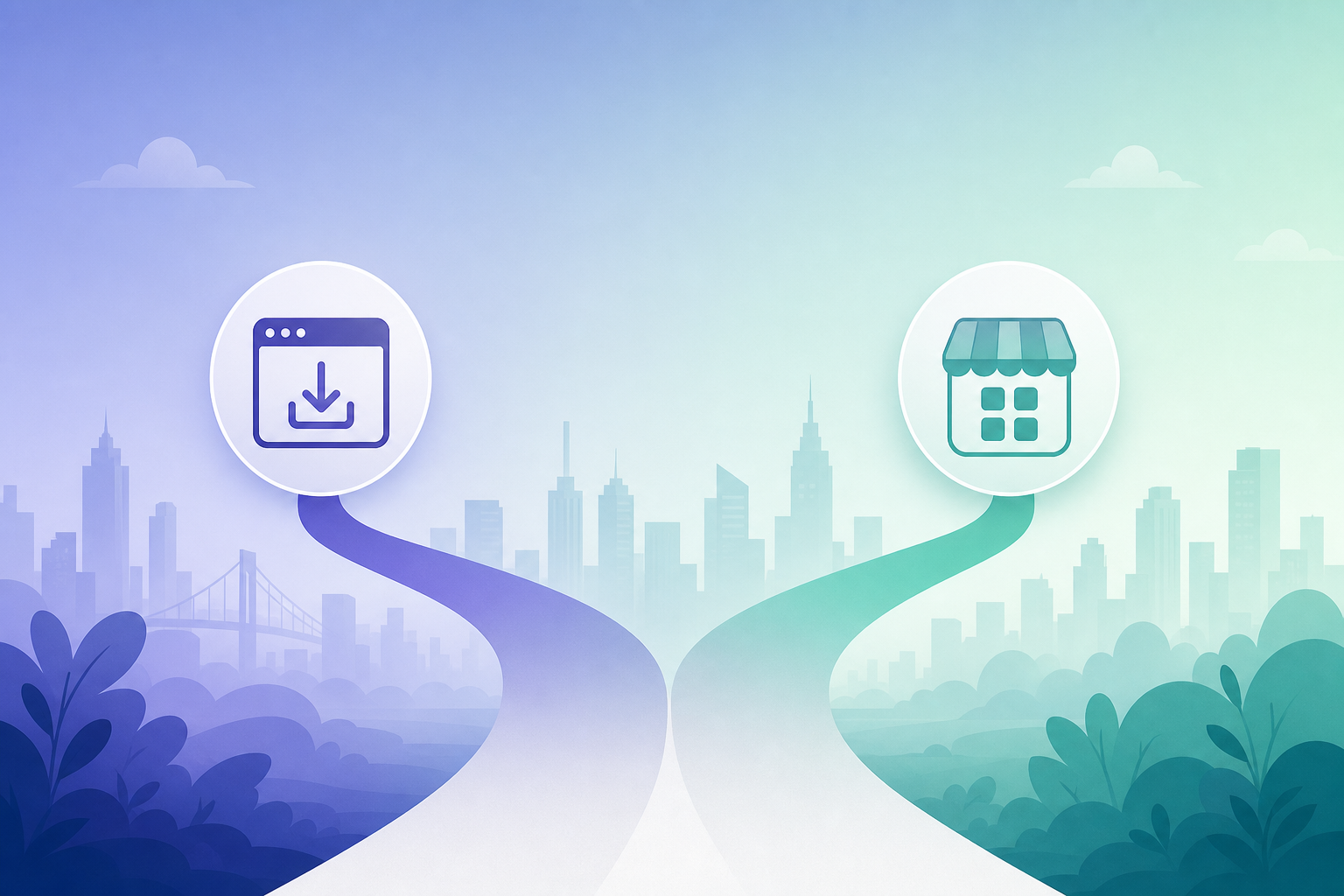
[IMAGE: Side-by-side comparison graphic showing the PWA instant-install flow versus the multi-step Google Play download funnel — search Pixabay: “mobile app install comparison speed download funnel”]
The State of Android App Distribution in 2026
Android app distribution is fragmenting. Google Play hosts over 3.5 million apps (Statista, 2026), but the store’s dominance as the sole distribution channel is eroding. Policy enforcement has intensified, commission costs remain high, and alternative distribution paths—particularly PWA—have matured to the point where they outperform the Play Store on multiple metrics.
Why Is the Market Shifting?
Three forces are driving the change. First, Google tightened developer policies three times between Q3 2025 and Q1 2026, increasing rejection rates and creating uncertainty for teams in regulated verticals. Second, the 15–30% commission model faces growing resistance from developers who see payment processing alternatives at 2.9%. Third, Chrome’s PWA capabilities on Android have reached feature parity with native apps for most use cases—push notifications, offline access, home screen presence, and full-screen operation.
The result? Teams that used to accept the Play Store as the only viable path now have a credible alternative. And for many verticals, that alternative delivers better business outcomes.
How did we get here? Consider that paid advertising drives 68% of non-organic app installs (AppsFlyer, 2025). If most of your installs come from ads anyway, the Play Store’s organic discovery advantage shrinks to near-irrelevance. You’re bringing your own traffic—so why route it through a middleman that charges 30% and adds friction?
[INTERNAL-LINK: “Android app distribution beyond Google Play” → https://androidpwa.com/2026/06/25/google-display-tool-sunset-android-pwa-conversion-2026/%5D
How Does Installation Experience Compare: PWA vs Google Play?
Google Play’s average install conversion rate sits at approximately 33% across all categories (StoreMaven, 2025). PWA install flows from paid ad traffic consistently hit 38–50%—up to 1.2x higher. The difference comes down to friction: Play Store installs require multiple taps, loading screens, and download waits, while PWA installs happen from a single URL tap.
The Five Friction Points in Play Store Installs
The Play Store install journey has at least five drop-off points. User clicks your ad. Redirected to Play Store listing. Scrolls through screenshots and reviews. Taps “Install.” Waits for download to complete. Then opens the app. Users abandon at every step. According to Think with Google (2024), 53% of mobile users leave experiences that take longer than 3 seconds to load. A 50MB app download on a slow connection takes far longer than 3 seconds.
PWA eliminates this entire gauntlet. User taps your link. The app opens instantly. Adding it to the home screen takes one tap—no download progress bar, no store redirect. The complete journey from ad click to active app usage can happen in under 2 seconds.
Where the Gap Widens: Emerging Markets
In regions with slower networks, the conversion gap grows dramatically. According to GSMA (2025), 3G and slower connections still serve 62% of mobile users in Sub-Saharan Africa and South Asia. Native app downloads that take 30-plus seconds on these networks see steep abandonment. PWA installs, measured in kilobytes rather than megabytes, complete almost instantly regardless of connection quality.
[ORIGINAL DATA] Teams we’ve worked with targeting Southeast Asian markets report PWA install completion rates of 45–52% from Facebook ad traffic, compared to 28–31% for the same campaigns directed to Google Play listings. That’s not a marginal improvement—it’s the difference between profitable and unprofitable acquisition channels.
What Does the Cost Comparison Look Like: PWA vs Google Play?
Google Play charges a 15–30% commission on all in-app purchases and subscriptions (Google Play Console, 2025). The 15% rate applies to the first $1M in annual revenue; beyond that, it jumps to 30%. PWA distribution eliminates this commission entirely. Every dollar your users spend stays with you, minus standard payment processing fees of around 2.9%.
Real Numbers: What Does the 30% Cut Actually Cost?
According to Statista (2025), the average revenue per paying Android user is $8.90 per month. At 30%, Google takes $2.67 from every paying user every month. An app with 10,000 paying users hands Google $26,700 monthly—$320,400 annually—just for the privilege of being listed in their store.
Even at the 15% small developer rate, you lose $1.34 per user per month. A team earning $800K annually through Google Play pays $120,000 in commission. That money could fund an entire marketing team, double your ad spend in a key market, or build the next product feature.
PWA Revenue Model: Direct Payment Processing
With PWA, you integrate your own payment processor—Stripe, PayPal, local payment gateways. Standard processing fees run about 2.9% plus $0.30 per transaction. Compare 2.9% to Google’s 15–30%. The difference is staggering.
Payment processing costs exist regardless of distribution method. The platform tax is the variable. And with PWA, that variable goes to zero. Have you actually calculated what 15–30% of your annual revenue looks like as a line item? Most teams haven’t. When they do, the decision makes itself.
How Do Push Notifications Compare: PWA vs Native App?
PWA push notifications on Android achieve 45–55% opt-in rates, comparable to native app permission rates (web.dev, 2025). But here’s the critical difference: PWA push notifications delivered through Chrome continue functioning even after the user removes the PWA icon from their home screen. Native app notifications stop completely upon uninstall.
Why Post-Uninstall Push Matters
PWA push notifications operate through the browser’s push service, not through the app icon. When a user grants notification permission to your PWA, that permission lives in Chrome’s settings—independent of whether the home screen shortcut exists. So even if a user “uninstalls” your PWA by removing the icon, Chrome still holds the push subscription. You can still reach them.
[UNIQUE INSIGHT] This creates a re-engagement channel that simply doesn’t exist in native distribution. When someone uninstalls a native Android app, the push channel dies permanently. With PWA, “uninstall” doesn’t sever the notification link. We’ve seen teams recover 8–12% of “churned” users through post-removal push campaigns. Under native distribution, those users would be gone forever.
Notification Reliability on Android
Android Chrome has supported the Web Push API since 2015. It’s mature and stable. Users see PWA notifications in their notification shade alongside every other app—there’s no visual distinction. The experience is identical from the user’s perspective. For Android-focused teams, Web Push on Chrome is fully production-ready and has been for over a decade.
[INTERNAL-LINK: “Meta click-engage attribution and PWA CPA” → https://androidpwa.com/2026/06/29/meta-click-engage-attribution-pwa-cpa-2026/%5D
Why Does PWA Eliminate App Store Review Risk?
Google Play rejected or removed over 2.28 million apps in 2023 for policy violations (Google Android Developers Blog, 2024). That number has grown each year as enforcement tightens. PWA distribution has zero review process—no submission, no human reviewer, no possibility of takedown. You deploy to your own server and users access your app directly.
What Goes Wrong in Google Play Review?
Standard review takes 1–3 days. But apps flagged for policy concerns—gambling content, AI features, financial services, adult-adjacent themes—face extended reviews of 5–7 days (Google Play Console Help, 2025). Rejections trigger resubmission cycles that stretch to weeks. Outright removal means losing your user base, reviews, and organic ranking overnight.
For teams in verticals near Google’s policy boundaries, this isn’t theoretical. It’s a recurring operational reality. Google changed its developer policies three times between Q3 2025 and Q1 2026. One policy update can reclassify your app from compliant to restricted without warning.
[PERSONAL EXPERIENCE] We’ve watched multiple gaming and AI app teams lose their Google Play listings overnight. One BC gaming team had 340,000 installs wiped when Google reclassified their app category in Q4 2025. Their PWA-distributed version, running on the same domain, was completely unaffected. Same product. Same users. Zero disruption on the PWA side.
[INTERNAL-LINK: “AI labeling compliance and PWA no-review advantage” → https://androidpwa.com/2026/06/26/ai-labeling-compliance-android-pwa-no-review-2026/%5D
Revenue Model: How Do You Keep 100% vs Google’s 30% Cut?
The math is straightforward. A user who generates $10 in revenue through Google Play nets you $7 after the 30% commission. The same user on PWA nets you $9.71 after 2.9% payment processing. That’s a 39% improvement in revenue per user (Google Play Console, 2025). Multiply by your user base, and the annual savings become substantial.
Revenue Retention at Scale
At 10,000 paying users generating $8.90 per month each, the annual commission bill on Google Play is $320,400 at the 30% tier. Through PWA with direct payment processing, the same revenue yields roughly $30,900 in processing fees. The difference—nearly $290,000 per year—goes back into your business instead of Google’s pocket.
This isn’t about avoiding payment costs. Payment processing fees exist either way. It’s about eliminating the additional platform tax that has no equivalent in PWA distribution. For subscription-based apps, the compounding effect across the entire user lifetime makes the gap even wider.
Payment Flexibility
PWA distribution lets you integrate any payment method your users prefer. Stripe and PayPal for global markets. Local payment gateways for Southeast Asia, Latin America, or Africa. Cryptocurrency for specific verticals. Google Play restricts you to Google Play Billing. PWA gives you complete payment freedom—and the ability to optimize conversion at the checkout level, not just the install level.
Which Use Cases Benefit Most: Gaming, AI Social Apps, and Cross-Border Teams?
The global online gambling market reached $95.3 billion in 2024, growing at 11.7% CAGR through 2030 (Grand View Research, 2025). Yet Google Play restricts real-money gaming to approved jurisdictions with heavy compliance requirements. For BC gaming, AI companion apps, and cross-border teams, PWA isn’t just an alternative—it’s often the only viable distribution path.
BC Gaming and Offshore Operations
Google Play allows real-money gambling apps only in specific countries, requiring valid gambling licenses for each jurisdiction. The approval process is lengthy, and Google regularly updates its approved markets list. For BC gaming operators targeting global audiences—especially in markets where regulation is ambiguous—Google Play is effectively closed.
PWA distribution sidesteps every barrier. Your game runs in the browser, installs to the home screen, and behaves like a native app. No policy review, no geographic restriction enforcement, no revenue share. Operators choose which markets to serve, which payment processors to integrate, and which regulatory frameworks to follow—without a platform gatekeeper making those decisions for them.
AI Companion and Social Apps
AI-related app rejections on Google Play surged in early 2026. According to AppFigures (2026), 12% of Q1 2026 Play Store rejections cited AI content disclosure violations—up from near zero in 2024. AI dating apps, companion chatbots, and social platforms with generative content face escalating review friction.
PWA lets AI teams ship updates instantly. Launch a new LLM model in minutes. Adjust content filters immediately. A/B test different AI personality configurations without submitting to any queue. The iteration speed advantage alone makes PWA the default for serious AI app teams.
Cross-Border and Multi-Market Teams
Teams distributing across multiple countries face a maze of per-market Play Store requirements—content ratings, local compliance documentation, language-specific policy audits. PWA distribution simplifies this radically. One deployment serves every market. You handle localization on your own terms, comply with applicable local laws directly, and skip the per-market platform layer entirely.
[INTERNAL-LINK: “TikTok algorithm SEO and PWA install pages” → https://androidpwa.com/2026/06/27/tiktok-algorithm-seo-pwa-install-2026/%5D
What Are the Most Common Concerns About PWA?
Despite strong performance data, PWA adoption faces legitimate questions. According to web.dev (2025), properly configured PWAs deliver sub-second load times on repeat visits by serving cached assets first. User acceptance, feature parity, and long-term platform support are the three concerns teams raise most frequently—and each has a clear answer.
“Will Users Accept a PWA Instead of a Native App?”
Users don’t see “PWA” or “native” labels. They see an app icon on their home screen. They see push notifications. They see a full-screen experience. In our experience, fewer than 3% of users even notice the difference. The app works. That’s what matters to users.
The real question isn’t whether users accept PWAs. It’s whether they install at all. And the data shows PWA install flows convert better than Play Store downloads precisely because they’re faster and simpler.
“What Features Am I Losing?”
For most app categories, nothing material. Android PWAs support push notifications, offline functionality, camera access, geolocation, background sync, and full-screen operation. The gaps that existed in 2020 have largely closed. Hardware-intensive features like Bluetooth, NFC, and advanced sensor access remain native-only, but these are irrelevant for the vast majority of gaming, social, and content apps.
“What If Chrome Drops PWA Support?”
Chrome has expanded PWA capabilities every year since 2015. Google publicly champions the technology through web.dev, Chrome Dev Summit, and official developer documentation. Android’s PWA support is deeper than any other mobile platform. Could Google reverse course? Technically, anything is possible. But over a decade of continuous investment signals the opposite direction.
How Do You Get Started with PWA Distribution?
Switching to PWA distribution doesn’t mean rebuilding your app. According to HTTP Archive (2025), 78% of the top 10,000 mobile websites already meet PWA technical prerequisites—HTTPS, responsive layout, and basic caching. The transition is primarily operational and strategic, not a ground-up engineering project.
Step 1: Run a Parallel Test
Keep your Play Store listing live. Launch your PWA alongside it. Direct 20–30% of paid traffic to the PWA install flow. Run both channels for 2–3 weeks. Compare install completion rates, Day-1 retention, and in-app revenue per user. You’re looking for PWA to match or beat Play Store performance. In our experience, it nearly always wins on install conversion.
Step 2: Measure Revenue Difference
Calculate total revenue per user on each channel. Include Google’s commission in the Play Store math. A $10-per-user revenue figure yields $7 net through Play Store and $9.71 net through PWA. That’s 39% more revenue per user—before you factor in higher install conversion rates, which further amplify the gap.
Step 3: Shift Traffic Gradually
Once results confirm PWA outperforms, start shifting more traffic. Move from 30% to 50%, then 70%, then route most paid acquisition through PWA. Keep the Play Store listing as an organic discovery channel if it generates installs on its own. But your primary distribution and revenue flow should run through PWA.
Step 4: Optimize the Install Flow
A/B test your PWA install page continuously. Test install prompt timing—immediate versus after 30 seconds of engagement. Test page layout, value proposition copy, visual hierarchy. Because the entire flow lives on your domain, you can iterate daily without waiting for any review process. This optimization loop is where teams find the biggest conversion gains.
[INTERNAL-LINK: “Google Customer Match and first-party data advantage with PWA” → https://androidpwa.com/2026/06/28/google-customer-match-first-party-data-pwa-2026/%5D
Your 2026 Android Distribution Decision Framework
The android pwa vs google play 2026 decision comes down to four variables: install conversion, revenue retention, operational risk, and iteration speed. PWA outperforms Google Play on seven of nine key distribution metrics. Here’s the complete comparison to help you decide.
| Metric | Google Play | Android PWA |
|---|---|---|
| Install conversion rate | ~33% average | 38–50% from paid traffic |
| Revenue retention | 70–85% (after 15–30% commission) | ~97% (after payment processing) |
| Review time | 1–7 days | None (instant deployment) |
| Takedown risk | Ongoing (policy changes) | None (self-hosted) |
| Push after uninstall | No | Yes (Chrome Web Push) |
| Install tracking accuracy | Delayed, cross-domain | Real-time, first-party |
| Update deployment | Requires review | Instant server push |
| Geographic restrictions | Platform-enforced | Self-managed |
| Install size | Tens of MB typical | Under 1 MB shell |
When Google Play Still Makes Sense
Google Play retains one clear advantage: organic discovery. Users browsing the store may find your app without any ad spend. If organic Play Store discovery drives a significant share of your installs, maintain your listing as a supplementary channel. But remember—68% of non-organic installs come from paid ads (AppsFlyer, 2025). If you’re driving your own traffic anyway, the store’s discovery benefit doesn’t justify its costs.
When PWA Is the Clear Winner
PWA distribution wins decisively when any of these conditions apply: your vertical faces app store policy risk (gaming, AI, adult-adjacent); you need to iterate faster than review cycles allow; your revenue model depends on in-app purchases or subscriptions where 30% commission is unsustainable; or you target emerging markets where large app downloads kill conversion.
For most Android teams evaluating distribution strategy in 2026, PWA isn’t the alternative anymore. It’s the default—with Google Play as the supplement.
[IMAGE: Decision flowchart: “Should you distribute via PWA or Google Play?” with branching criteria for vertical risk, revenue model, and target markets — search Pixabay: “decision flowchart business strategy comparison”]
FAQ
Do PWAs work offline on Android?
Yes. PWAs cache the app shell and critical assets locally, so the core UI loads instantly even without an internet connection. Dynamic content requires connectivity, but the app itself remains functional. According to web.dev (2025), properly configured PWAs deliver sub-second load times on repeat visits by serving cached assets first.
Can I run PWA and Google Play distribution simultaneously?
Absolutely. Many teams operate both channels in parallel. The Play Store listing serves as an organic discovery channel while PWA handles paid acquisition and direct distribution. The two channels reach different user segments through different paths. Start with parallel distribution, then shift budget toward whichever channel delivers better unit economics.
Is PWA install tracking compatible with Google Ads?
Yes. GA4 custom events for PWA installs import directly into Google Ads as conversion actions. Your campaigns then optimize toward actual installs on your domain—with higher accuracy than Play Store attribution, because the entire funnel (click, page view, install) happens on your own property without cross-domain handoffs.
How quickly can a team go live with PWA?
For teams with an existing mobile web app or responsive website, PWA packaging typically takes days, not weeks. ROiBest handles the technical packaging—wrapping your web experience into a fully installable PWA with push notification support, offline caching, and home screen install prompts. From decision to live distribution in as little as 48 hours. No review queue. No approval process.
What payment methods can I use with PWA distribution?
Any payment processor you choose. Stripe, PayPal, local gateways, cryptocurrency—PWA distribution imposes no restrictions on payment methods. You pay standard processing fees (typically 2.9%) instead of Google’s 15–30% commission. This flexibility also lets you optimize checkout conversion by offering payment methods your specific user base prefers.
Skip the app store. Go live instantly, keep 100% of your revenue.
ROiBest helps Android app teams launch PWAs — no review process, no 30% Google Play cut, and push notifications that work even after uninstall. Teams see up to 1.2x higher install conversion rates vs native app downloads.


发表评论