


Google is replacing Dynamic Search Ads (DSA) with AI Max — and the automatic migration starts September 2026. If you’re running Android app install campaigns, this shift changes how Google matches search queries to your landing pages. For teams distributing apps via PWA instead of Google Play, getting your PWA install pages optimized for AI Max is now a competitive advantage.
AI Max uses broad-match AI to find conversion opportunities that traditional DSA keyword targeting missed. That’s powerful — but only if your landing page can convert the wider range of traffic AI Max sends your way.
→ Want to bypass Google Play entirely? See how ROiBest PWA works — no submission, no cut, 1.2x installs.
What Google AI Max Means for App Distribution
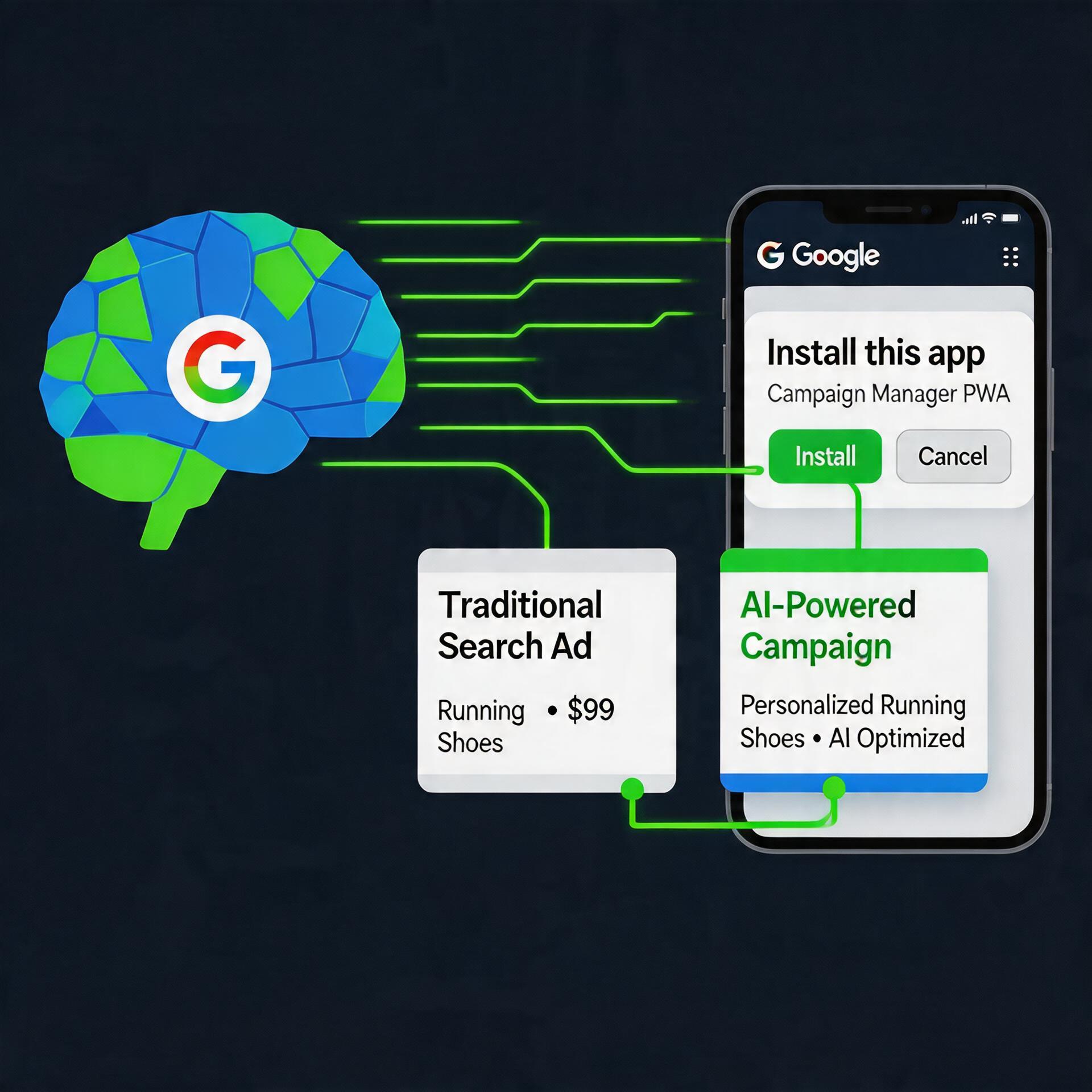
AI Max replaces DSA’s URL-based targeting with AI-driven query matching. Instead of Google crawling your site and matching search terms to specific pages, AI Max uses your final URLs, headlines, and descriptions as signals — then finds relevant searches automatically.
For app distribution teams, this means:
- Broader traffic: AI Max will surface your app install pages for queries you never explicitly targeted — including long-tail searches like “best alternative to [competitor app]” or “how to install [app type] without app store”
- Less control over matching: You can’t manually map keywords to URLs the way DSA allowed. Your landing page quality and relevance become the primary optimization lever.
- PWA advantage: PWA install pages that load fast, offer clear install prompts, and match diverse search intents will outperform traditional app store redirect pages.
Google’s own data suggests AI Max campaigns can deliver 7% more conversions than legacy DSA — but that number depends entirely on your landing page’s ability to convert broader traffic.
Why PWA Landing Pages Outperform in AI Max Campaigns

Traditional app install campaigns send users to Google Play. The conversion flow is: ad click → Play Store page → download → install → open. Each step loses users.
With PWA distribution, the flow compresses to: ad click → PWA landing page → install to home screen. Two steps instead of five. Teams using PWA install pages report up to 1.2x higher install conversion rates compared to Google Play store listings.
In an AI Max world where Google sends you broader, more diverse traffic, this conversion advantage compounds. Here’s why:
- Faster qualification: A well-built PWA landing page immediately shows the user what your app does — no app store intermediary adding friction.
- No store rejection risk: AI Max may match your pages to queries that Google Play’s algorithm wouldn’t surface your listing for. With PWA, you control the narrative.
- Push notifications after install: Unlike Google Play installs where uninstalled apps lose contact, PWA push notifications work through Chrome — giving you a re-engagement channel even if the user removes the home screen icon.
Teams already seeing results include Android app teams distributing without Google Play and AI app developers using PWA for direct distribution.
4 Steps to Optimize Your PWA Install Page for AI Max
Step 1: Structure Your Page for Broad Query Matching
AI Max will send traffic from queries you didn’t explicitly target. Your PWA install page needs to answer multiple user intents:
- Add an FAQ section addressing common questions about your app category
- Include comparison content (“vs Google Play,” “vs competitors”) that AI Max can match
- Use semantic headings (H2/H3) that map to different search intents
Step 2: Optimize Install Prompt Timing
Don’t show the PWA install prompt immediately on page load. For AI Max traffic (which is broader and less pre-qualified), give users 10-15 seconds to understand your app before prompting. This improves install-to-active-use ratios.
Step 3: Set Up Conversion Tracking for AI Max
AI Max optimizes toward your defined conversion events. Make sure your PWA install page fires a clear conversion event when the install prompt is accepted. Use Google Tag Manager to track:
pwa_install_prompt_shown— when the browser shows the install dialogpwa_install_accepted— when the user confirms installationpwa_first_open— when the PWA is opened from the home screen
Feed pwa_install_accepted as your primary conversion to Google Ads. This gives AI Max a clear signal to optimize toward.
Step 4: Test Page Variants with AI Max Traffic
Run at least 3 landing page variants specifically for AI Max traffic:
- Variant A: Feature-focused (what the app does)
- Variant B: Problem-focused (what pain it solves)
- Variant C: Comparison-focused (vs alternatives)
Since AI Max sends diverse traffic, different page angles will convert different query types. After 14 days, check which variant has the highest install conversion rate and scale it. See our Google Play policy changes guide for context on why direct distribution is gaining urgency.
Summary: AI Max + PWA = Faster Installs, Broader Reach
Google’s shift from DSA to AI Max means broader traffic, less manual control, and higher landing page dependence. For app teams distributing via PWA, this is an advantage — your install pages already convert better than Play Store redirects, and now they’ll capture traffic from queries you never manually targeted.
Your action checklist:
- ✓ Prepare for DSA → AI Max migration (deadline: September 2026)
- ✓ Structure PWA landing pages for multiple search intents
- ✓ Optimize install prompt timing for broader AI Max traffic
- ✓ Set up conversion tracking (install prompt → accepted → first open)
- ✓ Run 3+ page variants to match AI Max’s diverse query mix
Skip the app store. Go live instantly, keep 100% of your revenue.
ROiBest helps Android app teams launch PWAs — no review process, no 30% Google Play cut, and push notifications that work even after uninstall. Teams see up to 1.2x higher install conversion rates vs native app downloads.

发表评论