

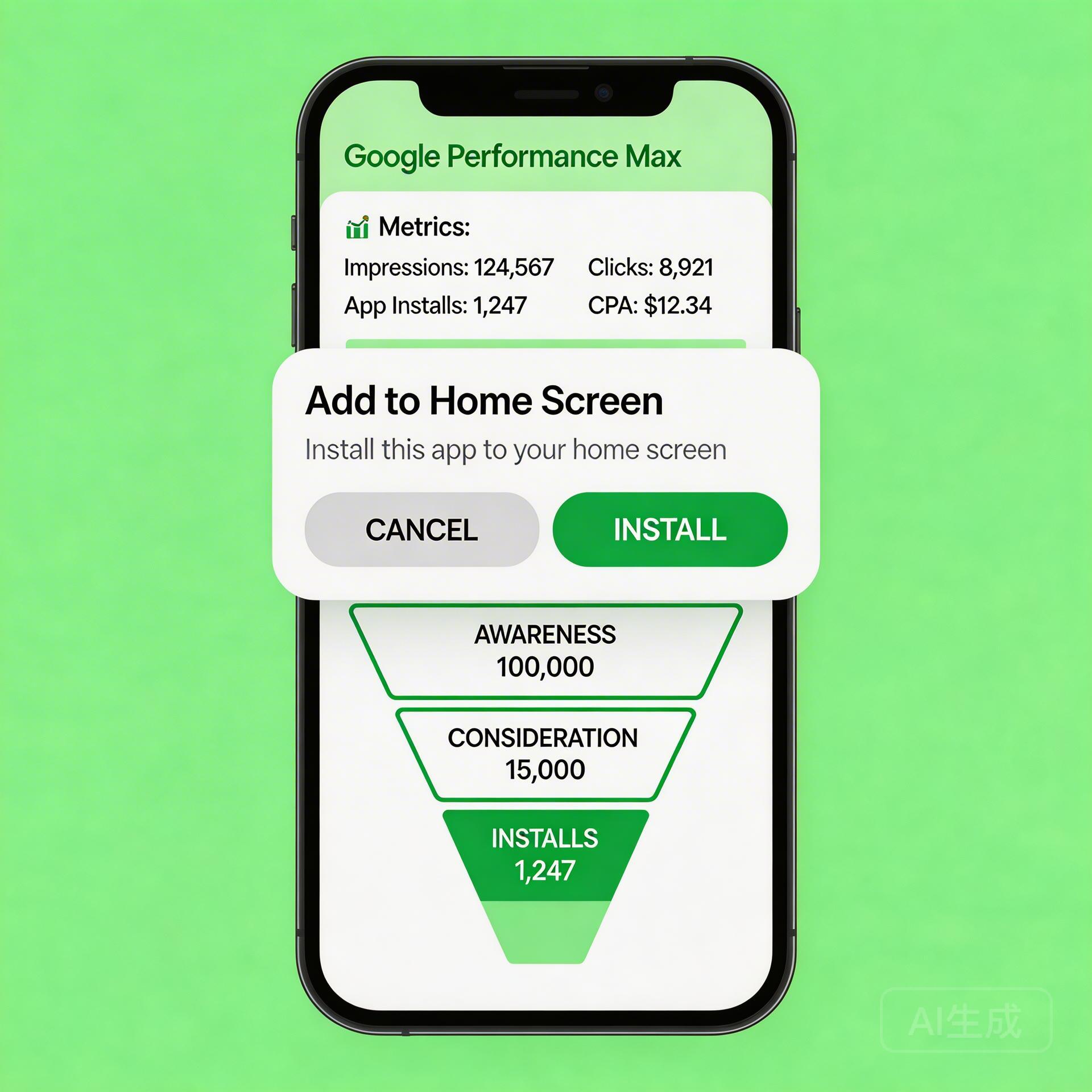
Google Performance Max is now the dominant campaign type for app install advertisers. But for Android app teams, there’s a decision that dramatically affects PMax performance that most advertisers overlook: whether users are landing on a Google Play listing or a Progressive Web App (PWA) install page. The destination matters as much as the campaign. And for game and social app teams, PWA install pages consistently outperform Google Play redirects by a measurable margin.
→ Want to bypass Google Play entirely? See how ROiBest PWA works — no submission, no cut, 1.2x installs.
Why PMax Campaign Performance Depends on Your Install Destination
Google Performance Max for App Campaigns optimizes toward installs. It doesn’t care whether those installs come from Google Play or a web-based PWA install flow—it cares about the conversion signal you give it.
But the conversion rates at the destination are wildly different:
- Google Play redirect: User sees the Play Store listing → taps Install → waits for APK download → app installs. Conversion rate: typically 18-35% from landing to install.
- PWA install page: User lands on your web page → taps “Add to Home Screen” → PWA installs immediately (no download wait). Conversion rate: typically 25-45% from landing to install.
The 1.2x higher install conversion rate for PWA is not a marginal difference—it means your PMax campaign delivers 20% more installs for the same ad spend when the destination is optimized.
How Google PMax + PWA Creates a Better Install Funnel

Step 1: Faster Install = Better Algorithm Signal
PMax App Campaigns use install speed as an implicit quality signal. When a user clicks your ad and completes an install within seconds (PWA’s “Add to Home Screen” is near-instant), the algorithm reads this as high-quality traffic and adjusts bidding accordingly—pushing more budget toward similar users.
Contrast this with Google Play: a 200MB game APK download takes 30-90 seconds on a typical mobile connection. Many users abandon during this wait. Those abandoned installs register as “clicks without conversions,” training the algorithm to be more conservative about similar users in the future.
Step 2: No App Store Friction in the Funnel
Google Play introduces friction points that PWA eliminates:
- Play Store account sign-in required (kills conversions for users with no account or billing issues)
- Storage space check (fails silently on devices with limited storage)
- Download confirmation dialog (additional tap required)
- APK download and installation process (30+ seconds)
A PWA install flow reduces this to: tap “Add to Home Screen” → confirm → installed. For mobile game and BC game teams, this friction reduction is the primary driver of the 1.2x install rate advantage.
Step 3: PWA Enables Push Notifications After Uninstall
One of the most underused features in PWA campaigns: Chrome-based push notifications remain active even when a user removes the PWA icon from their home screen. This is structurally impossible with Google Play apps—once uninstalled, you lose all re-engagement access.
For PMax campaigns targeting lapsed users, this creates a re-engagement channel that doesn’t require a second install event. Combined with your PMax audience signals (lapsed install segments), PWA push provides a retention lever that extends campaign ROI beyond the install itself.
For teams using Android PWA vs Google Play as their primary distribution decision framework, this re-engagement capability is often the deciding factor.
Setting Up Google PMax for PWA App Install Campaigns
Step 1: Configure PWA Install as Your Primary Conversion Event
In Google Ads, set up a custom conversion action tracking the PWA “Add to Home Screen” event. Use Google Tag Manager to fire a conversion event when the beforeinstallprompt or appinstalled browser event triggers.
Pass this conversion to PMax as your primary install event. Do NOT use generic “page visit” as your conversion—PMax needs accurate install signal to optimize toward real installs, not landing page hits.
Step 2: Build a Dedicated PWA Landing Page (Not Your App Homepage)
Your PMax landing page should be a dedicated PWA install page with:
- App name and icon prominently displayed above the fold
- 3-5 screenshots or feature highlights (not a full product page)
- Prominent “Add to Home Screen” or “Install Now” CTA button
- Load time under 2 seconds (PWA install prompt only appears on fast, HTTPS pages)
- Clear statement of what the app does in one sentence
A/B test the CTA wording: “Install Free” typically outperforms “Add to Home Screen” by 15-25% in CTR, even though both trigger the same browser event.
Step 3: Set Audience Signals to High-Intent Segments
PMax treats audience signals as suggestions, but providing strong signals dramatically improves campaign efficiency. For PWA game install campaigns, use:
- Customer match: your existing player email list (most powerful signal)
- Website visitors: users who visited your PWA page but didn’t install (30-day window)
- Similar audiences: based on your highest LTV player segments
- In-market audiences: Mobile Games, Casual Games, or relevant app categories
Step 4: Monitor and Optimize the Post-Install Engagement Loop
PMax install campaigns optimize toward install volume, but your business outcome is engagement and retention. Set up post-install conversion events (first session, first in-app purchase, day-7 retention) and pass these to Google Ads as secondary conversion values.
This trains PMax to seek users who don’t just install but engage—which over 30-60 days shifts your cost-per-engaged-user down even if CPI stays constant.
PMax + PWA Results: What Teams Are Seeing
App teams that have switched from Google Play → PMax to PWA → PMax report:
- Install conversion rate: +20-35% (PWA eliminates Play Store friction)
- Cost per install: -15-25% (higher CVR = same installs for less spend)
- Day-7 retention: Comparable to native app (PWA UX on Chrome is app-quality)
- Re-engagement rate: +40-60% (push notifications work post-uninstall)
These improvements compound. A 25% better install CVR means PMax’s algorithm has a stronger signal to learn from, which improves targeting quality, which further improves CVR—a positive feedback loop that native app install campaigns don’t have access to.
Common Mistakes in PMax + PWA Campaigns
- Using generic landing pages: Sending PMax traffic to your main website instead of a dedicated install page kills CVR. Build a single-purpose install page.
- Wrong conversion event: Tracking “page view” instead of actual PWA install event means PMax is blind to real performance. Set up proper install event tracking.
- Skipping HTTPS: PWA install prompts only trigger on HTTPS pages. Non-HTTPS pages silently fail to show the install option.
- Broad asset groups: PMax with generic creative underperforms. Build separate asset groups for your top user personas (casual gamer vs. hardcore BC player) with persona-specific headlines and images.
The Strategic Case for PWA in Your PMax Stack
Performance Max for app installs is a powerful demand-generation engine. But the install destination—Google Play vs. PWA—is a lever that PMax itself cannot optimize. That’s a decision you make before the campaign runs.
Teams running retargeting campaigns alongside PMax find that the combination of PMax for acquisition + PWA push for re-engagement creates a full-funnel system that native app distribution simply can’t replicate.
If you’re running Google PMax for Android app installs and still routing traffic through Google Play, you’re leaving a 20%+ install conversion improvement on the table.
Skip the app store. Go live instantly, keep 100% of your revenue.
ROiBest helps Android app teams launch PWAs — no review process, no 30% Google Play cut, and push notifications that work even after uninstall. Teams see up to 1.2x higher install conversion rates vs native app downloads.
发表评论